In today’s digital landscape, cybersecurity threats continue to evolve. They pose significant risks to individuals and organisations alike. One such threat gaining prominence is zero-click malware. This insidious form of malware requires no user interaction. It can silently compromise devices and networks.
Have You Tried Microsoft Universal Print? (Learn What It Can Do for You)
In today’s digital workplace, printing remains an essential function. This is true for just about all businesses. But keeping up with your print infrastructure can be a time-consuming task. One printer down can mean work comes to a standstill.
Handy Checklist for Handling Technology Safely During a Home or Office Move
Moving can be a chaotic and stressful time. Especially when it comes to handling your valuable technology. Whether you’re relocating your home or office, it’s essential to take extra care. Both with fragile items and when packing and moving your devices and other tech items.
Learn How Microsoft 365 Copilot Is Going to Transform M365 Apps
Advanced AI is a new buzzword in cloud computing. The launch of tools like ChatGPT and Bard have made big waves. Developers are now racing to introduce the next level of features to apps. Features that do part of your work for you. Such as writing emails or making follow-up checklists based on contact data.
How to Use Threat Modelling to Reduce Your Cybersecurity Risk
As cyber threats continue to increase, businesses must take proactive steps. They need to protect their sensitive data and assets from cybercriminals. Threats to data security are persistent and they come from many different places.
How to Create Insightful Dashboards in Microsoft Power BI
Data visualisation is a powerful tool for communicating complex data. It presents it in a simple, easily understandable format. But it is not enough to simply create a graph or chart and call it a day. To make use of information it is important to create insightful reports. Reports that effectively communicate the story behind the data.
10 Tips to Help Small Businesses Get Ready for the Unexpected
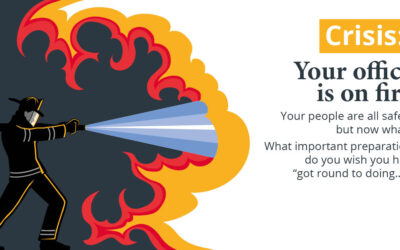
What would you do if your business suffered a ransomware attack tomorrow? Do you have a contingency plan in case of an earthquake, hurricane, or gas explosion? The unexpected can happen anytime, and small businesses can get hit particularly hard.
Privacy alert: Change this setting in Edge, now
There’s a setting in Edge that sends the images you view online to Microsoft. We give you all the details.
9 NSA Best Practices for Securing Your Home Network
In today’s world, technology is ubiquitous, and connectivity is a must. Securing your home network has become more critical than ever. A secure home network is essential for protecting your personal (and business) data from hackers.
6 Immediate Steps You Should Take If Your Netflix Account is Hacked
Netflix is one of the most popular and well-known streaming services. It has nearly 231 million subscribers around the world and has been growing for almost a decade. The platform has become an essential part of many people's daily entertainment routines. They fire up...
4 Steps to Protecting your Business Data
The data security equivalent of leaving your windows open We all take great care to keep our homes secure. Yet some business owners and managers don’t have the same attitude towards their business’s data security. Which is crazy. Because there are a lot more...
Microsoft Forms: One of the Handiest Freebies in Microsoft 365
If you already subscribe to Microsoft 365, then it makes sense to use Forms. It can save you money if you’re using a separate survey tool, like Survey Monkey. It’s easily accessible by signing in with your Microsoft account.
Adopt MFA Now
Multi-Factor Authentication (MFA) adds extra layers of security to your business (and your personal web accounts). What that means is you need at least two pieces of information to log in to a device or an app. Perhaps a password plus a fingerprint, and possibly an...
Learn to talk tech with our IT Jargon Buster
We avoid tech talk as much as possible when working with our clients. But next time you need help with an IT issue, it might save time if you know a few words. If IT jargon feels like a difference language, we’ve created our new, free IT Jargon Buster to help. It’s an...
Create shortcuts for frequently used functions
Create shortcuts for frequently used functions Outlook functions are great, but we can show you something even better… a shortcut to your most frequently used functions. Go from a few clicks to just the press of a button to get your work done.