by acanthaadmin | Jun 10, 2023 | Business, Cybersecurity, Tech Updates
Many people worry about someone hacking their computer. But they’re not really thinking about their wireless printer getting breached. It’s a tool that most individuals use sporadically. For example, when you want to print out tax forms or mailing labels.
Printers tend to be out of sight, out of mind. That is until you need to print something and run out of ink. Well, they’re not out of the mind of hackers. In fact, unsecured printers are a classic way for criminals to gain access to a home network.
To illustrate this point, Cybernews purposely hacked printers. It hijacked nearly 28,000 unsecured printers globally. The success rate was 56%. What did it do once it gained access? Ironically, it made the printers print out a guide on printer security!
Are you wondering how exposed your network is from your printer? We’ve got some security tips below to help. These tips can enable you to better secure your network, which keeps data on all devices more secure.
1. Change the Default Login Credentials
When you buy a new printer, it will likely have included default information. Manufacturers give you a way to connect and set up your device. This usually involves default login information.
Immediately change that information during set up. Hackers use a master list of all these defaults. They plug it into an automated script and just keep trying them all until they get a hit. Change these, and make sure you create a strong password.
2. Keep Printer Firmware Updated
Keeping firmware updated is vital to keeping your printer secure. Hardware needs updating just like computers, software, and apps do. Those updates often contain important security patches.
Firmware updates aren’t usually as visible as software updates. Software and OS updates usually give you a popup notification. But updates to the drivers and firmware that run printers, aren’t so visible.
Some of the places you can check for firmware updates are:
- The PC manufacturer’s utility app on a connected device
- The printer’s information panel
- The printer manufacturer’s app installed on a PC
3. Use a Network Firewall
A network firewall is important to ensure the monitoring of traffic. Firewalls can block suspicious activity to keep hackers out of your network. You should configure the firewall to watch incoming and outgoing printer traffic.
4. Put Your Printer on a Guest Network
Most of today’s home routers allow you to set up a guest network. This is a separate Wi-Fi that runs from the same router you use for your main network. It’s harder for hackers to get from one network to another.
Keeping a less secure device separated from computers and phones improves security. You can still print to your printer from devices on another network. You just need to have things configured correctly. If you need help with that, just let us know.
5. Disable Unused Ports or Services
IoT devices, like printers, often have many ways to connect. You may not need all the ports or services that come with your printer. These ports are risk areas where hackers could find a way in.
It’s best to disable any ports and sharing features that you don’t need. This reduces the risk of a breach.
6. Unplug It When Not in Use
Most home printers aren’t used as much as work printers. People may only use them once a month or a few times a year. If you’re not using your printer constantly, unplug it when not in use.
One surefire way to cut off a hacker’s access is to unplug the device. When it’s shut down, no access is available at all.
7. Teach Your Family Cybersecurity Best Practices
Your printer is one device on your network. Most families connect several devices to their home Wi-Fi. In 2022, the average number of connected devices per household was 22.
Families need to know and adopt good cyber habits. This keeps everyone’s data more secure. It also helps you avoid costly identity theft breaches. Or the takeover of things like baby monitors.
Some standard best practices to follow for good cyber hygiene are:
- Always use strong passwords. (at least 10-12 characters & include a mix of letters, numbers, and symbols)
- Keep software & firmware on devices updated
- Use multi-factor authentication wherever possible
- Enable device firewalls & other protections
- All devices that should have a good antivirus installed
- Never login to an account from a link you receive via email or text
- Learn how to identify phishing & get a second opinion before clicking
- Get a security checkup from a pro at least every year or two
Get Some Help Keeping Your Family’s Data Secure
Most IT pros don’t only work with businesses. We also help families ensure their data is safe & devices are running smoothly. Give us a call on 01624 616282 today to schedule a home security checkup.
—
Featured Image Credit
This Article has been Republished with Permission from The Technology Press.

by Richard Corlett | Jun 6, 2023 | Cybersecurity, Tech Updates
Have you ever felt frustrated by the flood of notifications from your multi-factor authentication (MFA) app?
Well, cyber criminals have too. And they’re taking advantage of “MFA fatigue” to try to gain access to your sensitive business data.
MFA is essential for keeping your data secure. It adds an extra layer of security to your apps and accounts by asking you to verify your identity in two or more ways, such as a password and a code sent to your phone.
The constant alerts can be overwhelming though.
Attackers know this and will bombard employees – sometimes in the middle of the night – with a constant stream of MFA notifications. Which makes it more likely someone will authenticate a login attempt through frustration, tiredness, or just to get the notifications to stop.
But now there’s a new weapon in the fight against MFA fatigue.
Microsoft Authenticator has introduced number matching as a way of making sure your MFA notification is from the correct login attempt, preventing cyber criminals from taking advantage of notification fatigue.
How does number matching work?
When you receive an MFA notification, the app will display a randomly generated number. You then need to input this number to authenticate the login attempt and prove you’re not a cyber criminal trying to access your business data.
That’s not all. Microsoft Authenticator also allows for biometric authentication, which means you can use your face, fingerprint, or other unique physical features to prove your identity and combat the threat of MFA fatigue attacks.
With these security measures in place, your business can stay ahead of cyber criminals and keep your sensitive data better protected.
If you already use Microsoft Authenticator, number matching is ready to use. Simply make sure your app is up-to-date, and you’ll be protected.
If you use another MFA system and want to look at how to make your security better or easier, we can help. Get in touch or call us on 01624 616282.
Published with permission from Your Tech Updates.

by acanthaadmin | Jun 5, 2023 | Cybersecurity, Tech Updates
Netflix is one of the most popular and well-known streaming services. It has nearly 231 million subscribers around the world and has been growing for almost a decade.
The platform has become an essential part of many people’s daily entertainment routines. They fire up their devices, log in, and pick back up on their favourite shows, right from where they left off.
Unfortunately, like any online service, Netflix accounts can be vulnerable to hacking. It’s always a risk when you have a service that is only protected by a username and password.
If you experience an account hack, it can be shocking, confusing, and infuriating. You may not know exactly what to do and may react without thinking first. This is a dangerous space to be in because it can cause you to do things that make matters worse.
In this article, we’ll give you the steps to take when you suspect someone has hacked your Netflix account. Let’s first cover how hackers typically operate when deploying an account takeover.
How Does a Netflix Hack Typically Work?
Phishing overload is a problem that hackers take advantage of in these types of breaches. People receive fake emails all the time that spoof brands like Netflix. One common phishing ploy is an email stating, “There has been suspicious activity on your account.” It will include a link to log in to a spoofed site that looks like the brand’s normal login page. This is a classic trick to steal your login credentials.
Hacked Netflix accounts typically go for $12 each on the dark web.
People get numb to these emails because they get so many of them. They tend to tune them out, knowing that clicking on them could be dangerous. Hackers take advantage of this, hoping you’ll ignore the real ones from Netflix that warn you of a suspicious login (theirs!).
They lay low and don’t take any action yet that will lock you out. They wait for you to receive a few more of these emails, so you’ll completely ignore them. Then they attempt a takeover.
Accounts hacks can go in various ways. Here is one typical scenario of a Netflix hack:
- The account owner gets an email about a suspicious login. Often it will be from a different country.
- They may log into their Netflix account to see if there are any unknown devices logged in. Usually, none will show yet. The hacker logs back out. The goal is to get you to check and see that nothing is wrong, and assume the real notice is phishing.
- This same scenario may happen 2-4 more times in the span of a month.
- Once the hacker feels the user is ignoring the Netflix warnings, they’ll make their move.
- They add their credit card to your account. This is so they can call Netflix and give them a method of verification.
- They may increase your subscription plan to a higher level.
- They also usually replace any user profile names on your account with numbers (1, 2, 3, etc.)
- At this point, the account owner will typically receive an email. It will note a change in account information. This could be the account email, password, phone number, etc.
- The hacker is now trying to lock the account owner out of their account.
What Do You Do If Someone Has Hacked Your Netflix Account?
1. Go to the Netflix site & try to log in.
If you suspect a hacked account, visit the Netflix site directly from your browser. Do not go through a link you received via email, DM, or SMS.
See if you can log in using your password. You may be able to if you caught the hacker before they’ve locked you out. If not, then skip to Step 4 below, calling Netflix support.
2. If you can log in, change your password immediately.
If you can log into your account, change the password right away. Ensure it’s a strong password that is at least 10-12 characters in length. It should also include a combination of letters, numbers, and symbols. Or try a passphrase made up of at least 3 words, numbers and symbols.
Do not use a variation of the breached password. You should not use any part of your old password to create the new one.
3. If you can log in, remove any strange payment methods
If you can still access your account and settings, go to the payment methods area. Often hackers will add another payment card to your account. They use it to verify the account to Netflix support.
Remove any strange payment method that is not yours. But if you remove your own payment card, you will need another way to verify your account with Netflix. So, at this point, you may want to call before you do that.
4. Call Netflix support. (Don’t skip this step)
Everyone’s experience may be different. Some users that have gone through a hack have praised the fast and helpful support from Netflix.
Contact Netflix support whether you have or have not succeeded in logging in. There may be things the hacker has done that you aren’t aware of. They may have changed subscription information.
Let the support representative know you think you’re the victim of an account hack. They’ll walk you through the process of undoing what the hacker has done.
5. Watch your bank statements.
Continue to watch your bank statements for any unusual charges. You should do this after any account hack.
6. Change the password for other accounts that used the same one as your Netflix account.
People often use the same or the nearly same password for several accounts. Make sure to change the password for any accounts that used the one that was just hacked.
Get Help Securing Your Passwords & Accounts
Don’t wait until a hack happens to you. Give us a call on 01624 616282 today to schedule a chat about our password security solutions.
—
Featured Image Credit
This Article has been Republished with Permission from The Technology Press.

by Richard Corlett | Jun 5, 2023 | Business, Microsoft, New Technology, Productivity, Tech Updates
Microsoft has announced that the current version of Windows 10, released in 2022, will be its final release.
If you’re currently using Windows 10, you might wonder what this means for your day-to-day operations.
The good news is that your computers won’t suddenly stop working. Nor will the current updates and security patches for Windows 10 disappear anytime soon.
However, you may want to consider upgrading to Windows 11 sooner rather than later. Microsoft has made it clear that it will be devoting all its attention to the new operating system from now on, so future developments and innovation will be focused on Windows 11.
Upgrading can be a daunting task, but moving to Windows 11 has so many benefits:
Enhanced performance
Windows 11 has been designed to maximise efficiency and performance across all types of devices, making it a no-brainer for businesses looking for faster and more efficient technology.
Improved user experience
The interface has been updated with a more modern look, making it easier to navigate and customise.
Increased security
Windows 11 comes with Microsoft’s most advanced security features, making it harder for cyber criminals to breach your system.
Better integration with cloud services
Windows 11 gives you access to a range of cloud-based services, making it easier to collaborate with other team members and enhance your business’ productivity.
If you’re still hesitant about upgrading, keep in mind that Microsoft will eventually stop releasing security updates for Windows 10. We’re expecting it to be in late 2025. This means staying with Windows 10 for too long could put your business at risk of security threats.
The sooner you upgrade, the better your protection against these threats, and the more significant the benefits you’ll be able to reap from Windows 11.
Like any big project, making the move to Windows 11 needs to be planned and implemented properly. Your hardware needs to meet certain requirements and, of course, you’ll need to make sure it’s done without affecting day to day operations.
If you’d like help making the transition with as little disruption as possible, give us a call on 01624 616282 or drop us a message.
Published with permission from Your Tech Updates.
by Richard Corlett | Jun 2, 2023 | Business, Microsoft, New Technology, Productivity, Tech Updates
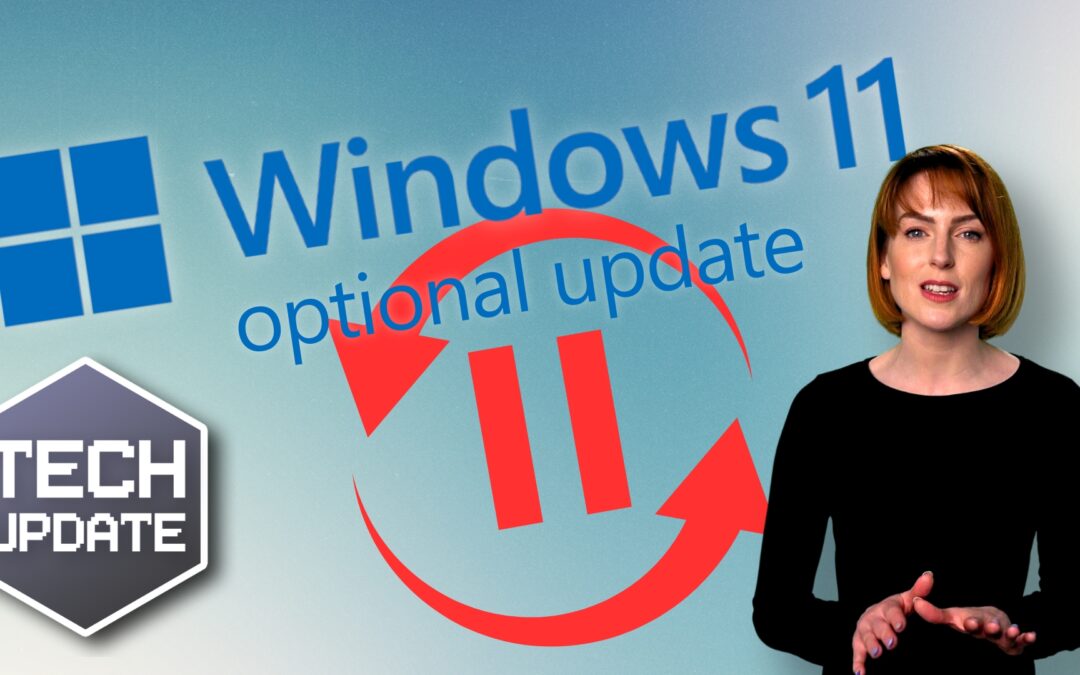
Microsoft has announced an option for people to trial new features before their general release in Windows 11.
This isn’t about fixes to security flaws – everyone gets those at the same time.
This is an opportunity for businesses to jump the queue to receive new features and updates first.
Sound exciting?
Yes!
Worth the risk?
Not quite.
Our advice?
Patience is a virtue!
Sure, it may be tempting to give in to the tantalising prospect of new features… nobody ever wants to wait. But jumping aboard any trial phase comes with risks.
Bugs, errors, and other stumbling blocks could have a significant impact on your operations, potentially causing chaos in your daily workflow.
Waiting until features have completed a thorough trial process gives you the advantage of other people’s experience. They’ve already dealt with the complexities so, by the time you get the new features, they’ll be polished and dependable. And isn’t that more important for the smooth running of your business?
Trust us, the safe road is the smart road, especially when your business systems are involved. Additional 10Gb Mailbox Quota (voirrey@manxmarketingexchange.com – ) but you don’t want to end up being the guinea pig.
Remember the old adage… good things come to those who wait!
We’re all for keeping up with the latest technology and software updates, but there is a time to exercise caution, and this is one of those times. Don’t be tempted by the shiny new features.
- Be patient
- Stay safe
- And ensure that when the time comes, you’re getting something that’s proven to work
Microsoft already has a lot of (tested and approved) features that can boost productivity and make your work processes smoother. We spend a lot of time helping businesses find the right ones for them. If we can do the same for you, get in touch, call us on 01624 616282 or visit the knowledge section of our website.
Published with permission from Your Tech Updates.