by Acantha Marketing | Jun 30, 2026 | Cybersecurity, Tech Updates
Most cyberattacks do not start with a sophisticated intrusion. They start with a click on a personal email, a reused password, or a file uploaded to a familiar cloud service because the approved option felt slower.
The Verizon Data Breach Investigations Report found that 68% of breaches involve the human element.
Not a zero-day exploit. Not a brute-force attack on a hardened system. Human behavior, in the course of an ordinary working day.
For businesses running cloud-based workflows across multiple devices, the personal and professional overlap is now the rule. Understanding where that overlap creates risk is no longer optional. It is a core part of modern security strategy.
The Risk Sitting Outside Your Security Stack
Personal web habits are not reckless behavior. They are normal behavior.
Checking a personal inbox on a work laptop. Logging into a social account during a break. Saving a work password in a browser already loaded with personal accounts. Uploading a document to a storage service because it is faster than the approved option.
None of these feel like security decisions in the moment. But each creates a connection between personal digital activity and business systems, and that connection sits outside most traditional security controls.
Hardening systems, deploying tools, and locking down networks addresses part of the problem. The rest moves with the people.
How Personal Web Habits Create Business Exposure
Personal channels are phishing’s preferred territory
Personal inboxes, messaging platforms, and social media feeds are where phishing thrives.
These environments are harder to filter, easier to spoof, and loaded with the emotional triggers that make people act before they think.
When those channels share a device or browser with business systems, a single click can cross the boundary instantly.
Phishing is the most common entry method for attackers precisely because it exploits distraction rather than technical weakness. The target does not need to be careless. They just need to be busy.
Password reuse turns personal breaches into work incidents
Password reuse is one of the most direct connections between personal and professional exposure.
When credentials from a personal account are compromised, attackers run them against business systems automatically. This technique, credential stuffing, is low-effort and highly effective because so many people use the same password across multiple accounts.
Unique credentials for every account, combined with multi-factor authentication, break that chain.
A personal breach has nowhere to go when the work account requires a second factor that the attacker cannot relay.
Shadow IT is usually about convenience, not defiance
Most unauthorized tool usage does not begin with disregard for IT policy. It begins with a productivity gap. Employees use personal cloud storage, consumer messaging apps, or AI tools because they are faster and more familiar than the approved alternative.
The security risk is not the intention behind the choice. It is what happens to the data.
Once business information moves into platforms that IT cannot see, audit, or secure, it falls outside every control in place. The tool usage is predictable. The data exposure is not.
Why Blocking Behavior Doesn’t Work
The instinct is to lock things down: block personal apps, restrict browsing, enforce strict device policies.
In practice, blanket restrictions rarely stop the behavior. They relocate it. Users find workarounds. Unapproved tools move to personal devices. IT teams lose visibility into exactly the activity they were trying to manage.
The risk does not disappear. It moves somewhere harder to see.
Security strategies that assume perfect compliance perform poorly in real workplaces. The goal is not eliminating the overlap between personal and professional digital activity. It is managing it without breaking how people work.
What Actually Reduces Risk
The controls that work are the ones that match how people actually operate.
Separate contexts, not people
The simplest way to reduce crossover risk is to reduce crossover.
Separate browser profiles for work and personal activity, clear guidance on where business accounts should be accessed, and identity boundaries that prevent accidental mixing all reduce exposure without restricting what people do with their time.
This is not about surveillance. It is about creating enough distance between personal and professional digital activity that a compromise in one does not automatically reach the other.
Design for credential failure
Assume passwords will eventually be exposed somewhere. Design for that outcome rather than hoping to prevent it.
CISA reports that enabling multi-factor authentication makes accounts 99% less likely to be compromised, even when the underlying password has already been stolen.
MFA converts the most common attack path into a dead end.
Stolen credentials from a personal breach cannot reach a work account that requires a second factor. A password manager handles unique credentials across every account, making that protection sustainable without placing an unrealistic burden on users.
Make secure behavior easier than unsafe behavior
Personal web habits are not dangerous by default. Ignoring the risk they create is. The most secure environments today are not the most restrictive. They are the most realistic: built around how people actually work, designed to contain failure when it happens, and focused on making safer behavior the path of least resistance.
Helping clients reduce human-driven security risk is one of the most impactful services an MSP can offer.
Contact us or schedule a consultation to review current controls and identify where the most important gaps are.
—
Featured Image Credit
This Article has been Republished with Permission from The Technology Press.
by Richard Corlett | Jun 29, 2026 | Tech Updates
You’ve probably invested a lot of time in security awareness training.
You’ve rolled out programmes, reviewed phishing simulation results, and reported completion rates.
On paper, everything looks responsible and structured.
Yet incidents still happen.
Someone still clicks something they shouldn’t. A credential still gets entered in the wrong place. A file still ends up shared more widely than intended.
That doesn’t mean the training failed. But awareness on its own isn’t enough anymore.
Most users understand that cyber threats exist. They’ve heard the messages about suspicious links and strong passwords.
The issue is that security decisions now sit inside fast-moving workflows.
People are approving MFA prompts between meetings, sharing files under deadline pressure, and experimenting with AI tools while trying to move work forward.
In those moments, awareness competes with urgency.
That’s why the focus has started to shift.
The question is whether everyday behaviour is gradually becoming safer. Are risky habits reducing over time? Are common patterns in incidents being addressed directly? Is training tied to the real scenarios your teams face, rather than generic examples?
Short, well-timed learning moments tend to land better than long annual sessions.
Reinforcing one or two practical behaviours at a time often has more impact than covering every possible threat in a single module.
Over time, those small behavioural adjustments reduce exposure in a measurable way.
There’s also a leadership element to this.
Security training works best when it’s positioned as part of shared responsibility rather than an IT-led compliance exercise.
When department heads understand that user behaviour directly influences risk, conversations shift.
It becomes easier to talk about real-world scenarios, not just policy.
For IT directors, the difficulty is maintaining momentum. Reviewing incident trends, refining content, coordinating simulations, and keeping engagement steady all require time and consistency.
Co-managed IT can support that effort in practical ways.
By helping analyse behavioural patterns, manage simulation cycles, or structure micro-learning around real risks, shared support can strengthen the programme without taking control of it.
The aim is to steadily reduce the likelihood and impact of human error, not to create a business full of cyber security experts.
When training is designed around risk reduction rather than awareness alone, it becomes less about ticking boxes and more about changing outcomes.
If your current programme feels established but not evolving, perhaps additional capacity could help. Get in touch.

by Richard Corlett | Jun 29, 2026 | Tech Updates
For the past year or so, it’s felt like every Windows update came with three new AI features attached.
Some of them are genuinely useful. Some feel like they’re there because they can be.
So it’s interesting to see Microsoft take a slightly different tone with recent Windows 11 preview updates.
Instead of cramming in more AI, the focus seems to be on something far less flashy: Making Windows smoother, faster and less irritating to use.
And as someone who works with businesses using Windows every day, I’m quite pleased about that.
Let’s start with something simple. You’ll soon be able to run a network speed test directly from the taskbar.
If your internet suddenly feels slow, you won’t need to open a browser and search for a speed test site. You can check performance straight from Windows.
For a small or medium sized business, that’s practical.
If a member of staff says, “The system’s crawling”, you can quickly see whether it’s the connection or something else.
There are also small but welcome tweaks to how apps behave on the taskbar.
If you’ve ever had multiple windows of the same app open, for example, several Word documents, you might have noticed them being tucked away awkwardly into an overflow area.
Now it makes better use of the space available, so things feel less cluttered and easier to manage.
Performance improvements are another key area.
Microsoft has optimised how Windows resumes from “sleep” mode.
Sleep mode is what happens when you close your laptop lid or leave your PC idle. It goes into a low-power state but keeps your work ready to go.
If you’ve ever opened your laptop in a meeting and waited that slightly uncomfortable few seconds for it to wake up, this update is designed to make that process feel snappier.
That might not sound dramatic, but in a business setting, small delays add up. A faster resume means fewer awkward pauses and less frustration.
There’s also a subtle shift in how Microsoft is handling AI.
Instead of pushing it everywhere, they’re adding more control. For example, if your webcam has automatic AI framing, where it tries to zoom and follow your face during calls, you’ll have manual controls to adjust pan and tilt in settings.
If you’ve experienced the camera zooming in at the wrong moment, that’s a welcome change.
Other updates are less glamorous but still useful.
The Storage Settings page now scans faster when looking for temporary files, making it easier to free up space.
The Windows Update page responds more quickly when you check for updates. You can even set modern image formats like .webp as your desktop wallpaper.
Small details, but they improve day-to-day usability.
For small and medium sized businesses, reliability and responsiveness matter more than experimental features.
If Windows feels quicker, cleaner and less intrusive, your team works more smoothly. And that’s where real productivity happens.
These updates are rolling out gradually, so you may not see everything immediately, but it won’t be long.
If you’d like to learn what other Windows features could give your team a productivity boost, I can help. Get in touch.
by Acantha Marketing | Jun 25, 2026 | New Technology, Tech Updates
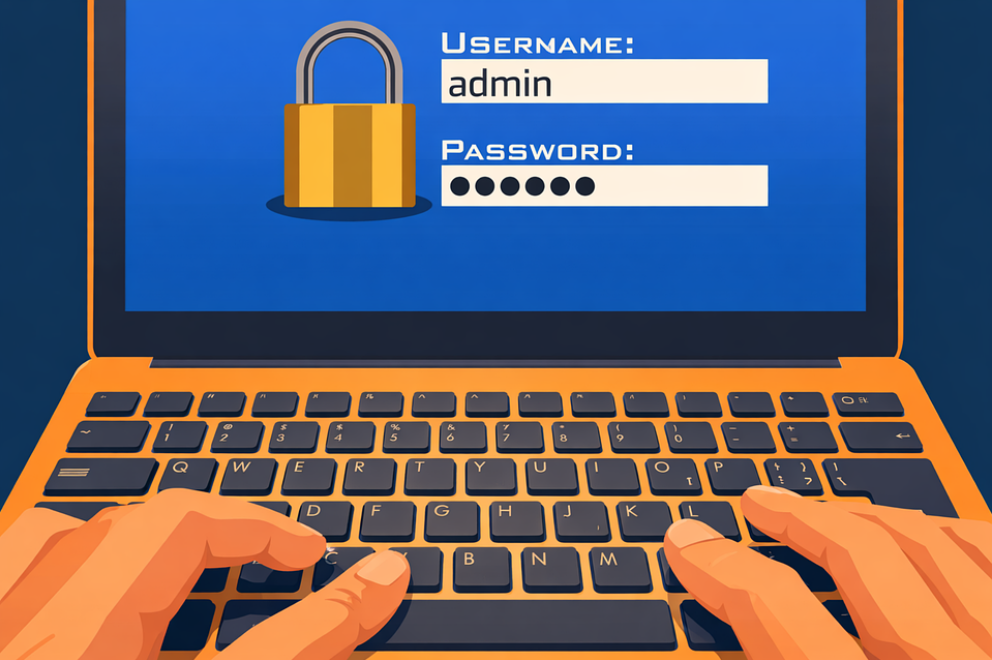
Your team locks everything down with passwords. Some are strong, some are not, and most have been reused somewhere over the years. Every month, IT fields reset requests. Every year, the same breach reports list stolen credentials as the leading cause.
There is now a more effective path, and it does not require users to memorize anything.
Passkey migration is the process of moving from traditional passwords to passkeys: a form of phishing-resistant authentication that uses your device’s built-in security instead of a shared secret.
It is practical, it is already supported by most major platforms, and the business case is hard to argue with.
Why Passwords Are Still the Biggest Risk
Passwords have had sixty years to prove themselves. The data tells a consistent story.
More than 80% of data breaches involve compromised credentials, a figure that has remained consistent year after year, according to the Verizon Data Breach Investigations Report.
The underlying problem has not changed: passwords are shared secrets that must be stored somewhere, and secrets that get stored eventually get stolen.
Multi-factor authentication (MFA) reduced that risk significantly and remains an important baseline. But SMS-based codes, still the most common form of MFA, have a known weakness.
Modern phishing kits can intercept a one-time code in real time: a convincing fake login page captures both the password and the code, and uses them on the real site before the session expires.
Phishing-resistant authentication closes that gap by design. Passkeys make it technically impossible for a fraudulent page to trigger login on your real device, because the credential is cryptographically bound to the legitimate domain.
What a Passkey Actually Is
A passkey is a cryptographic credential. This means that instead of a shared password stored on a server, your device creates a matched pair of digital keys when you register with a service.
The private key stays on your device and never leaves it. The public key goes to the service.
When you log in, your device uses biometrics (Face ID, a fingerprint, or Windows Hello) or a device PIN to sign a cryptographic challenge from the server. The server verifies the signature using the public key. No password is ever transmitted.
A passkey cannot be phished, because a fraudulent login page cannot trigger authentication on your real device. It cannot be reused, because it is bound to a specific domain. And it cannot be exposed in a server-side breach, because the private key never exists outside your device.
Passkeys are built on the FIDO2 (Fast IDentity Online 2) and WebAuthn open standards, backed jointly by Apple, Google, and Microsoft. The FIDO Alliance reported that more than 15 billion online accounts now support passkey sign-in, double the figure from the year before.
What Passkey Migration Actually Means
Passkey migration is not a single cutover. It is a gradual transition that runs passwords and passkeys in parallel until passkeys are established across the accounts and platforms that matter.
A migration plan typically covers three things:
- Which platforms already support passkeys
- Which users to start with
- What fallback options exist for tools that are not yet ready
For most business teams running Microsoft 365 or Google Workspace, the infrastructure is already in place.
Microsoft enabled passkeys through Entra ID and made them the default sign-in for new accounts in May 2025. Google has supported passkeys for Workspace accounts since 2023. For teams in either ecosystem, passkey migration can begin without new infrastructure.
How to Approach Migration Without Disrupting Your Team
Start where support already exists
Begin with administrators and power users. They reset passwords most often, have the highest-risk access, and will give you honest feedback on friction before rollout reaches the wider team.
Map your current tools against passkey support before communicating any change.
Platforms like Microsoft 365, Google Workspace, GitHub, Shopify, and most major identity providers already support passkeys fully. Start with those. Leave unsupported tools for a later phase.
Run passwords and passkeys in parallel
The most common migration mistake is treating it as a full cutover.
Users can authenticate with passkeys on enrolled devices and fall back to a password on any device not yet enrolled. Running both methods simultaneously gives time for adoption without locking anyone out mid-project.
Plan for platforms that are not ready yet
Not every tool supports passkeys today.
For those, a password manager generating unique credentials is the right bridge. It eliminates the password reuse risk now, and when those platforms add passkey support, migration becomes a single enrollment step rather than a behavior change.
The Business Case Beyond Security
Security is the primary driver. But the operational benefits are real and measurable.
Google reports that passkey sign-ins are four times more successful than password-based logins, with sign-in speeds approximately 20% faster.
According to authentication research published by Google, the improvement comes from removing friction. Users no longer mistype passwords, wait for SMS codes, or trigger account lockouts by trying an outdated credential.
Fewer failed logins means fewer helpdesk calls and fewer interruptions.
NIST’s 2025 update to SP 800-63-4 now requires phishing-resistant authentication as a mandatory option for high-assurance access. This means passkey migration is also a compliance step for teams working toward those standards.
From Password-Dependent to Passwordless
Ready to start your passkey migration?
Contact us or schedule a consultation to map out which platforms in your environment support passkeys today and build a migration plan that works for your team.
—
Featured Image Credit
This Article has been Republished with Permission from The Technology Press.
by Richard Corlett | Jun 22, 2026 | Tech Updates
As an IT director, you’ve probably had this moment.
A project deadline is agreed in a meeting, and you can already see the dependency issues no one else has spotted.
A department assumes a change is minor, when you know it touches five systems and introduces risk.
A board discussion frames IT as a cost centre, even though half the company’s growth initiatives depend on your roadmap.
No one is being unreasonable.
But they aren’t seeing the same picture you are.
That difference in perspective is where the expectation gap begins.
From the business side, IT often looks like a service function. Systems run. Support tickets get resolved. New tools are implemented. When things go smoothly, it feels routine.
From your side, there’s a constant layer of complexity underneath. Security posture needs reviewing. Infrastructure has lifecycle limits. Vendors have constraints. Projects compete for the same internal capacity. Risk tolerance varies depending on who’s asking.
When those realities aren’t visible, expectations naturally drift.
Deadlines become optimistic, requests feel urgent and trade-offs aren’t fully understood. IT can start to look reactive, even when you’re making deliberate strategic decisions behind the scenes.
Closing that gap means increasing clarity.
Structured reporting can help shift the conversation.
Instead of focusing solely on operational metrics, it can highlight capacity constraints, project interdependencies, and risk exposure.
When leadership sees the broader context, planning discussions become more grounded.
Clear service definitions also make a difference.
When departments understand what sits within standard support and what requires planning and prioritisation, conversations feel more collaborative and less transactional.
There’s a leadership element as well.
Regular touchpoints with stakeholders, early involvement in business initiatives, and plain-language explanations of trade-offs all reposition IT as a strategic partner rather than a ticket queue.
The challenge is finding the time to build that structure while still managing the day-to-day workload.
This is where co-managed IT can support the shift.
By taking on defined operational responsibilities, co-managed IT can create space for you to focus on alignment, communication, and long-term planning.
It can also contribute to building clearer reporting frameworks and service models, helping translate technical complexity into language the business understands.
You remain the leader, define priorities and set direction.
Additional capacity makes it easier to make sure the business sees the full picture.
When expectations and reality align, pressure reduces, conversations become more constructive and IT’s contribution becomes easier to recognise.
If you’re finding that perception doesn’t quite match the reality of what your team carries, let us help. Get in touch.